


Daily Weather
3.8649.00 Reviews
App Specs
- Version
- 1.8.15
- Updated On
- License
- Free
- Downloads
- 10,000,000+
- Developer
- P & L Studio
- Categories
- Weather
- Platform
- Android, iOS
Screenshots
 Analysis by AppCompare
Weather apps can leave you unsure what to do even when they show plenty of information. I find Daily Weather most useful as a quick planning aid: check the conditions, look at how the day may change, and decide whether to bring a layer or move an outdoor plan. It is a free weather app from P & L Studio, with optional in-app purchases, and its appeal is the mix of at-a-glance information and tools for a closer look.
Where the first-time experience can trip you up
A tidy screen helps, but weather apps are only useful once they are showing the place and details you care about. When you first open a forecast app, take a moment to check that the displayed location is the one you intend to follow. If it is not, the forecast may look convincing while still being irrelevant to your plans. I would verify the location before relying on a rain alert or deciding what to wear.
It is also easy to expect a forecast to answer a more precise question than it can. A daily outlook is useful for deciding whether to pack an umbrella; it is not a guarantee that a shower will begin at a particular minute on your street. I treat the hourly view and radar as planning clues, not promises, especially when conditions are changing quickly.
Simple setup checks that make the app more useful
Before customizing anything, decide what you actually need to see. For a commute, temperature and rain chances may matter most; for a walk or bike ride, wind can change how comfortable the trip feels. Daily Weather’s interface presents several kinds of weather information, so choosing the details that match your routine can make a quick check more focused instead of turning the home screen into a checklist.
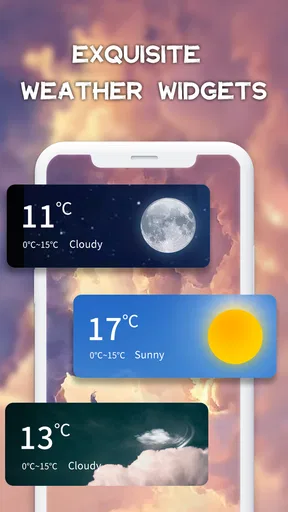
The home-screen widget is handy when you want a glance without opening the app. I would place it somewhere easy to see, then use the app itself when I need more context. A widget is a shortcut, not a substitute for checking the forecast in detail before a longer outing. If it seems out of step with what you see after opening the app, refresh by opening the app and compare the displayed information before making a decision.
Daily Weather is free to download, and optional purchases are listed from $0.99 to $11.99 per item. That makes it easy to try the basic experience before deciding whether any paid option is relevant to you. The app is rated for Everyone and has an average rating of 3.9 from around 42,000 ratings; I’d treat that as a broad snapshot of user sentiment, not a guarantee that every forecast will suit every location.
Recovering when a forecast or alert seems off
If a notification surprises you, first compare it with the current conditions and the hourly outlook rather than assuming the alert gives a complete picture. Forecasts can shift, and a message about a change is most useful when it prompts you to check the details. For an outdoor plan, the radar can add visual context about weather moving toward your area, though I would still leave room for timing and local variation.
Worth Reading Before You Choose

Flipboard Shows What News Apps Must Do Beyond the Feed

Switching to Android Auto Means Rethinking Your Driving Routine

Google Calendar Makes a Crowded Week Easier to Manage

Ludo King Makes the Most of the Minutes Between Plans

Baby Panda World Brings Quick Play to Modern Phones, but Its Game Library Feels Busy

ESPN’s Live Game View Makes Following Close Games Easier
If information looks stale, reopen the app and check the location and forecast again. If the issue continues, basic steps such as checking that your phone has a working internet connection and restarting the app are sensible first checks for a weather app. I would avoid making a high-stakes decision from a single screen that has not refreshed, particularly before travel or an event where weather matters.
When the app may not be the problem
A mismatch between a forecast and the sky does not automatically mean the app has failed. Rain can be patchy, conditions can change between checks, and a forecast for a broader area may not describe every nearby street. That is why I use more than one time view: the current conditions tell me what is happening now, the hourly outlook helps with near-term choices, and the radar gives a visual sense of movement.
For ordinary plans, that combination is practical. For safety-sensitive weather, remote travel, or activities where a sudden change could have serious consequences, I would also consult the relevant local weather authority. Daily Weather can help me keep everyday plans organized, but I would not treat a phone forecast as the only source for a decision where the cost of being wrong is high.
Making the forecast work for everyday plans
I use this section to connect the app’s forecast views to the small decisions that make a day run more smoothly. Checking the hours around a specific outing, rather than relying on the daily summary alone, can help me decide when to leave or whether to adjust the plan. That practical routine also makes it easier to tell when a forecast needs a second look.
Interface and Usability
The first thing you notice is how everything is neatly laid out. The main screen gives you the current weather, complete with temperature, humidity, and wind speed. I particularly love the little icons – they’re cute but informative. A sun icon for a sunny day, raindrops for rain – you get the gist.
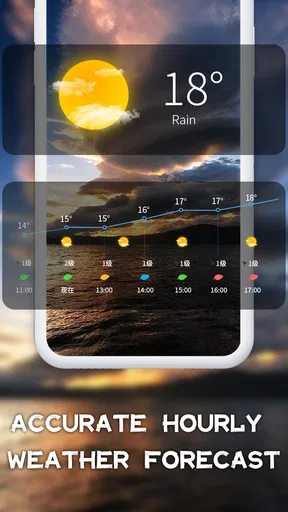
Navigating through the app is a piece of cake. The bottom menu is intuitive, guiding you to different sections like hourly forecasts, weekly overviews, and more detailed weather stats. You can even customize the app to show what you find most important, whether it’s rain probability or wind gusts.
Features That Stand Out
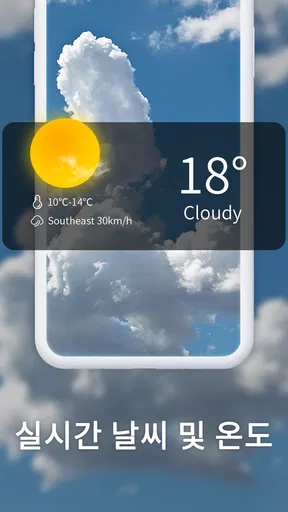
Now, let’s talk about the features that really make this app shine. First, the real-time weather updates are spot on. I was able to see changes in the weather as they happened, which is perfect if you’re planning a day out.
The app also offers a radar feature. This was a game-changer for me. I could see weather patterns moving across the map, predicting when that pesky rain cloud might hit my area. It’s like having a mini meteorologist in your pocket.
Another cool feature is the widget option. I added it to my home screen, so I don’t even need to open the app to get a quick glance at the weather. It’s the small conveniences like this that make a big difference.
Accuracy and Reliability
Alright, so how accurate is it? In my experience, the app has been impressively reliable. The forecasts were generally spot on, and the app sends timely notifications if there’s a sudden weather change. This kind of reliability is exactly what you need in a weather app.
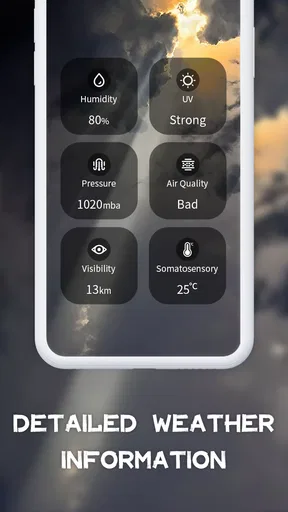
And let’s not forget about the air quality index. It’s a feature I didn’t know I needed until I had it. Living in a city, it’s crucial to know when the air’s a bit too thick with smog, and Daily Weather keeps me informed.
Putting its features to work
One useful habit is to check the forecast twice for a day that matters: once while making plans and again shortly before leaving. I would use the weekly view to choose a likely day for an outdoor activity, then return to the hourly outlook and radar on the morning itself. That workflow is more dependable than treating an early-week forecast as settled, and it makes the app’s different views complement each other rather than compete.
For example, if I am deciding whether to walk to an appointment, I can check the current conditions, then look at the hours covering the trip in both directions. If rain appears possible later, the radar helps me judge whether weather is approaching or already nearby. Wind speed and gusts matter too: a dry but windy forecast can still make cycling or carrying a stroller less pleasant. The practical choice may be a different route or a jacket, not cancelling the whole plan.
The air quality information gives the app another everyday use beyond choosing clothes. On a day when I am deciding whether to exercise outdoors, I can include air quality alongside temperature and weather. It is a useful prompt for a more informed choice, though I would not confuse a general index with personalized medical advice. People with specific health concerns should follow guidance appropriate to them.
Who will appreciate it, and who may want another tool
I can see this being a good fit for someone who wants a familiar daily routine: glance at the widget in the morning, check the hourly outlook before leaving, and open radar when rain could disrupt plans. The combination is more useful than a bare temperature display, especially for people who walk, commute, or make casual outdoor plans and want a quick sense of what may change during the day.
It may be less satisfying if you want a specialist forecasting tool with a highly technical presentation or need tightly localized guidance for a serious outdoor activity. In that case, a dedicated service or official local forecast may be a better companion. Likewise, if all you ever need is the temperature, a simpler app or the phone’s built-in weather display may involve less browsing. Daily Weather’s extra views are worthwhile only if you use them.
For readers comparing it with the usual alternatives, I would think in terms of workflow rather than assuming one forecast is universally superior. A built-in weather app is convenient for a quick glance; a map-focused service may suit someone who spends more time tracking incoming conditions; and an official source is a sensible check for warnings or consequential decisions. Daily Weather sits comfortably between a simple glance and a more involved check, thanks to its hourly view, radar, widget, and air quality information.
Practical details before you decide
The app was released on January 4, 2021, and its current version is 1.8.09. It requires Android 6.0 or later. It has over 10 million installs and around 630 written reviews alongside its ratings, which suggests it has reached a broad audience without telling me whether its forecast will match conditions in any particular place. I would judge that for myself by comparing its outlook with what I observe over several ordinary days.
There is a small but important distinction between trying the app and paying for optional items. The download is free, while individual in-app purchases fall within the stated range; I would check the purchase screen carefully before confirming anything and use the free experience first to see whether the interface suits my habits. That is especially sensible if the only feature you expect to use is the widget or current conditions.
Notifications can be useful when a change might affect plans, but I would keep them purposeful rather than treating every alert as essential. If a notification is distracting, review the app’s notification controls and keep only what helps you act. If alerts do not appear, check the phone’s notification settings as well as the app; a phone-level setting can affect whether an app is allowed to show them. This is a practical troubleshooting step, not evidence that a forecast itself is inaccurate.
Final Thoughts
So, is the Daily Weather app worth downloading? Absolutely. It’s packed with all the features you’d need in a weather app and then some. The design is sleek, the information is accurate, and it’s just downright handy to have on your phone.
Whether you’re planning a picnic, a road trip, or just need to know if you should grab an umbrella on your way out, this app’s got your back. So go ahead, give it a download. You’ll wonder how you ever lived without it.
My more measured recommendation is to try it as an everyday planning companion, not as a promise that the weather will unfold exactly as shown. Its interface, radar, widget, and range of forecast views can make routine decisions easier, while changing conditions and location differences still call for common sense. If you want a straightforward way to check the day and decide what to bring, it is an appealing option; if you need authoritative guidance for riskier plans, pair it with a local official source.
Pros
- User-friendly interface for easy navigation.
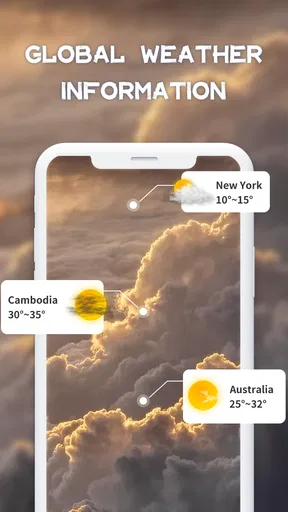
- Accurate weather forecasts for multiple locations.
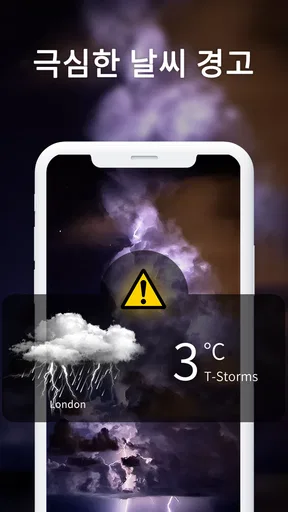
- Customizable alerts for severe weather conditions.
- Detailed hourly and weekly weather updates.
- Minimal ads for an uninterrupted experience.
Cons
- Limited features in the free version.
- Occasional lag when loading new data.
- Requires internet for real-time updates.
- Battery consumption can be high with GPS.
- No widget for quick home screen access.
FAQs for Daily Weather
What features does Daily Weather offer?
Daily Weather provides real-time weather updates, extended forecasts, and severe weather alerts. Users can access detailed information on temperature, humidity, wind speed, and UV index. The app also features customizable weather widgets and radar maps, making it easy to stay informed about current and future weather conditions.
Is Daily Weather free to use?
Daily Weather offers a free version that includes basic features like current weather updates and short-term forecasts. However, to access premium features such as ad-free experience, advanced radar maps, and personalized alerts, users need to subscribe to the premium version. Subscription details and pricing are available in the app store.
Can Daily Weather be customized for different locations?
Yes, Daily Weather allows users to customize their experience by adding multiple locations. This feature is particularly useful for those who travel frequently or wish to keep tabs on weather conditions in different areas. Simply add your desired locations in the app to receive localized weather forecasts and alerts.
How accurate is the weather information in Daily Weather?
Daily Weather uses data from trusted meteorological sources to provide accurate and up-to-date weather information. While no weather forecast can be perfect, the app uses advanced algorithms and real-time data to ensure reliability. Users can expect accurate short-term forecasts, though long-term predictions may vary.
Does Daily Weather send severe weather alerts?
Yes, Daily Weather sends timely alerts for severe weather conditions such as storms, heavy rain, or extreme temperatures. Users can customize alert settings to receive notifications via push alerts or emails. This feature helps users stay prepared and informed about adverse weather conditions in their area.


